Safe zone checker. Will the buttons cover your text?
Drop a frame or a video. See the margins TikTok, Reels and Shorts keep for their buttons, then drag over your text to check it.
- Drop a video or a picture
- Pick the platform
- Keep text out of the red
Drag over your text or logo to check it. Drop a file anywhere here.
All three
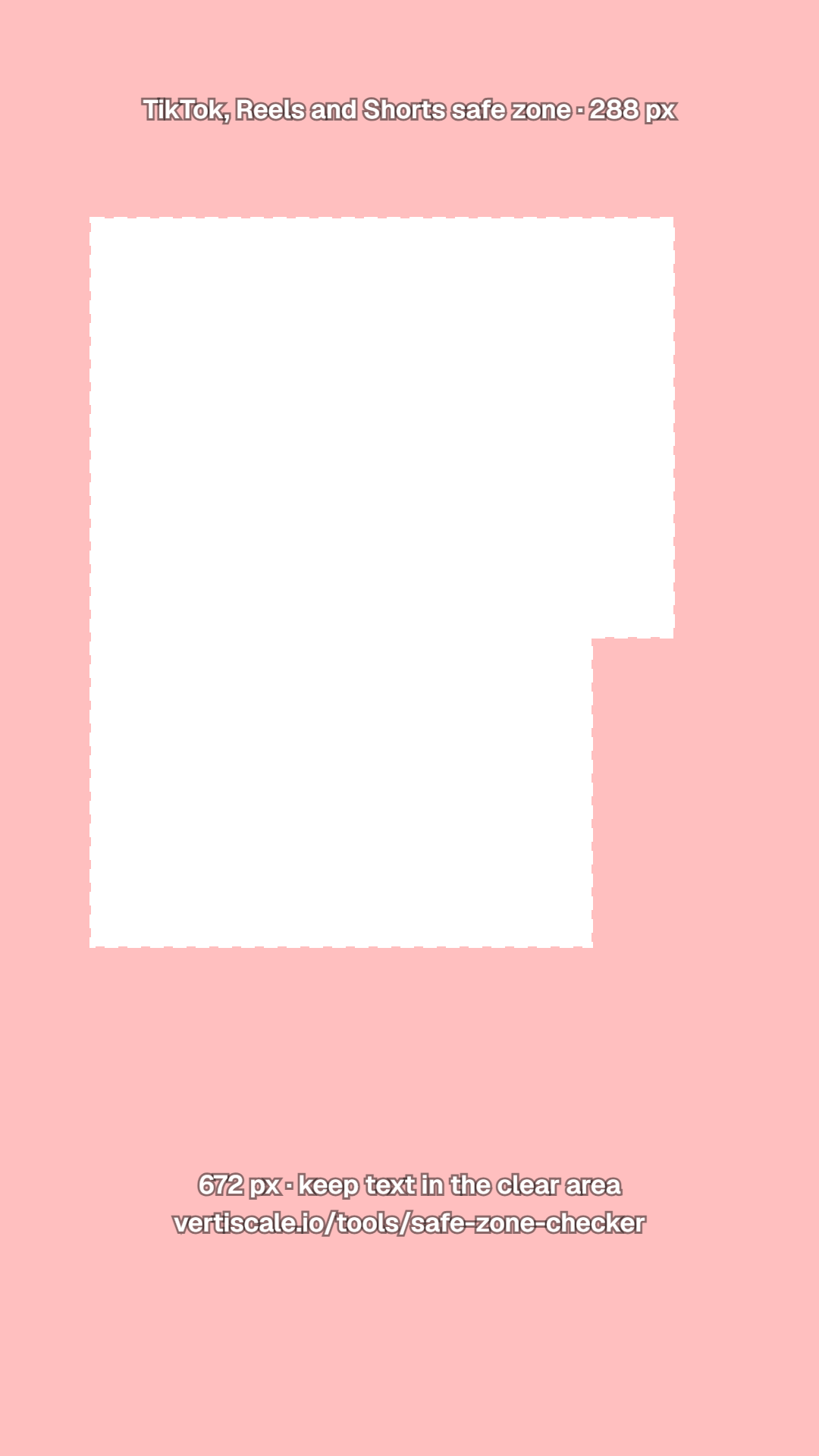
The widest margin of the three, side by side
- Top
- 288 px15 %
- Bottom
- 672 px35 %
- Left
- 120 px11.1 %
- Right
- 192 px300 px below y 840
Mark your text
Drag a box over the caption, the price or the logo on the frame. Each platform says if its margins would cover it.
Good to know
What is the TikTok safe zone?
The middle of the 1080 × 1920 frame that TikTok's buttons, caption and username don't cover. On TikTok's own template that leaves about 240 px at the top, 660 px at the bottom and 120 px on each side free of interface.
What is the Instagram Reels safe zone?
Meta's guide asks to keep text out of the top 14 %, the bottom 35 % and 6 % on each side of a Reel.
What is the YouTube Shorts safe zone?
Google's 1080 × 1920 reference keeps 288 px at the top, 672 px at the bottom, 48 px on the left and 192 px on the right free.
How it works
- The margins come from the ad guides. No platform publishes safe zones for ordinary posts. Each one publishes them for its ads, whose buttons and captions sit where yours do, so they are the best published margin to keep text out of. Meta writes its numbers out: 14 % top, 35 % bottom, 6 % each side. Google draws its numbers on a reference image: 288, 672, 48 and 192 px.
- TikTok's are measured from its template. TikTok only publishes template files, and says its zone shrinks when the caption gets longer. We measured its In-Feed template, drawn at 720 × 1280, and scaled it to 1080 × 1920: 240 px top, 660 px bottom, 120 px each side, and 300 px on the right from 840 px down, where the buttons sit.
- All three = the widest margin of each side. Pick "All three" and the checker keeps, side by side, the largest margin of the three. Text inside it is clear on every app. Then drag a box over your caption, price or logo: each platform says if, and by how much, its margins would cover it.
What it doesn't do
- It doesn't draw each app's buttons: they move between versions, so only the published margins are shown.
- It doesn't read text in your picture: you mark it yourself.
- It doesn't cover TikTok ads with anchors, Arabic layouts or long captions: those have other templates.
- Your file is shown from this device's memory and never uploaded.
Read more
An iPhone for your AI agent. One for each group of accounts.
Each Vertiscale iPhone has its own residential connection and one warmed-up TikTok account. Your agent opens the apps, posts and reads the numbers.